Cloud Telephony for Small Businesses: Benefits, Features & How to Choose

18 mins read

Posted on May 23, 2024


Saravana Kumar
SEO


Saravana Kumar
SEO





“When does a small business actually need a proper phone system?”
Not necessarily when it reaches 50 employees. Sometimes, it starts with 3 people sharing customer calls from their personal mobiles. One missed call, one employee working remotely, or one new hire can be enough to expose the limitations of that setup.
The same problem appears with basic landlines. They may work for a small office, but they become restrictive when employees work from home, travel for work, or need to answer calls from different locations.
For a small business owner or operations manager, cloud telephony for small businesses is therefore less about adding more technology and more about getting a phone setup that matches the way a small team actually works. This guide looks at the practical benefits, features worth paying for, actual cost considerations, and questions to ask before choosing a provider.

Key Takeaways
 Cloud telephony reduces initial investment and maintenance costs significantly.
- Enables remote and hybrid work - agents can take business calls from anywhere.
- Improves call management and customer support through IVR, auto-attendant, and call routing.
- Scales easily as business grows — add users or lines with a click.
- Offers greater reliability and uptime compared to on-premise PBX systems.
Why Small Businesses Are Moving to Cloud Telephony
For a small business owner, the decision to change a phone system usually starts with a practical problem rather than a technology upgrade. Limited IT support, upfront costs, missed calls, and a growing or distributed team can make a traditional setup difficult to manage.
Limited IT resources
Traditional PBX systems can be harder to manage when a business doesn't have its own IT team. Something as simple as adding a line or changing a call setting may involve a vendor and take time to get done. Cloud telephony allows many of these changes to be made from a browser dashboard, so businesses can handle routine updates without needing technical help every time.
High upfront phone system costs
Traditional PBX systems require spending on hardware, wiring, installation, and setup. For a business with 5–15 employees, putting a large amount of capital into a phone system can be difficult to justify when it is not part of the core business. Cloud telephony removes the need for this upfront hardware investment.
Remote and hybrid teams
Small businesses may have employees working remotely, visiting customers, or based in different offices. With a traditional phone system, business calls are often tied to physical desks. This makes it harder to handle calls outside the office. Cloud telephony for SMBs allows employees to use the same business number through supported laptops or mobile devices wherever they are working.
Missed customer calls
A small business can lose a potential customer when the person handling calls is already on another call, busy with a customer, or unavailable. Without proper call routing, there may be no one else to answer the call. Cloud telephony can handle overflow, queuing, and after-hours routing. This reduces the chance that an enquiry becomes a missed opportunity.
Difficulty scaling
Adding a new employee to a traditional phone system can mean changing hardware, adding a line, and waiting for a vendor to complete the setup. With cloud telephony, a new user can be added from the dashboard without changing the underlying infrastructure. This makes small business cloud calling easier to expand as the team grows.
Need for a professional business number
Many small businesses still use personal mobile numbers as their main customer-facing contact. This can make business communication feel tied to an individual rather than the company itself. A dedicated business number gives the company a consistent point of contact that can stay in place as employees or responsibilities change. This is one reason more businesses are considering cloud communication for small businesses.

Salesforce's Small & Medium Business Trends research, based on a survey of 3,350 small business leaders worldwide, found that 76% of small businesses adopting smart technology trends were growing.
Key Benefits of Cloud Telephony for Small Businesses
For a small business, a phone system needs to be easy to set up, affordable to maintain, and flexible enough to support a growing team. Cloud telephony can help address these needs without adding the infrastructure and management burden of a traditional phone system.
Lower infrastructure costs
A small team does not need to purchase an on-site PBX, install extensive phone infrastructure, or maintain the equipment itself. Instead, the business pays for the cloud calling service it needs and uses its existing internet-connected devices where supported. This can make a meaningful difference for a 5–15 employee company that wants to avoid a large upfront phone-system expense. These are some of the most practical cloud telephony benefits for small businesses that want to reduce upfront phone-system costs.
Easy setup - same day
Cloud phone systems don't require businesses to wait for hardware to arrive and be installed. Once the account and number are ready, users, greetings, IVR menus, and routing rules can be set up through the platform. For an owner juggling sales, finance, and operations, getting the phone system running sooner also means less time spent managing the setup.
Scalability without infrastructure changes
A 5 person team does not need to know exactly how large it will be six months from now. Users can generally be added as the team grows rather than replacing the phone infrastructure each time headcount changes. This makes cloud telephony benefits for small businesses particularly relevant when the company is growing gradually and wants phone costs to follow its actual team size.
Remote calling from any device
Employees can handle business calls through supported laptops, desktops, or mobile devices instead of being tied to a desk phone. This can be useful for field sales representatives, remote employees, and business owners who work from different locations during the day. The same business number can be used even when employees move between locations. This makes cloud telephony for SMBs a practical option for teams that don't work from one office.
Professional business number and IVR
A dedicated number gives customers one consistent contact point instead of requiring them to save several personal numbers. A basic IVR system can then direct callers to options such as "Press 1 for Sales, Press 2 for Support", even when the entire team consists of only three or four people. The setup does not need to be complicated to make a small operation easier to manage.
Call routing that handles peak hours and missed calls
A small team may have more calls coming in than one employee can handle at a time. Call routing can send additional calls to another available user or keep them in a queue, based on the business's setup. Rules for business hours and after-hours can also determine how calls are handled when the team is unavailable. This helps small businesses manage calls without relying on one person to answer everything.
CRM integration - less manual logging
A CRM integration can connect calling activity with the customer records the team already uses. Instead of asking a salesperson to remember every call and update it manually later, supported integrations can automatically capture relevant calling activity. For a small sales team, manually logging calls can take 30–60 minutes a day, time that could otherwise go toward follow-ups and customer conversations. This matters when the same person is responsible for selling, following up with prospects, and keeping CRM records updated.
Call recording for quality and training
Call recording can help an owner review important conversations, train new employees, or look into a customer dispute without needing a separate quality team. It also gives the business a record of what was discussed, which can be useful when details need to be checked later. Before enabling recording, businesses should review the consent, privacy, and other recording requirements that apply to them.
Cloud Telephony Features Small Businesses Actually Need
Small businesses don't need every feature a phone system can offer. They need a practical set of tools that helps the team handle calls well, stay reachable, and manage customer conversations without making the system harder to use.
IVR (Interactive Voice Response)
IVR lets callers choose an option and reach the relevant person or team without a receptionist manually directing every call. For a 3 person team, a simple Sales and Support menu can provide structure without adding another employee to the phone line.
Call Routing and Overflow
Call routing sends incoming calls to available users based on the rules configured by the business. Overflow can send a call to another user or queue when the primary employee is busy, which is useful when a small team cannot afford to have every call depend on one person.
Virtual Business Number
A virtual business number separates customer communication from employees' personal mobile numbers. Depending on availability, businesses can use local or other supported numbers to maintain a business presence without installing a physical phone line at every location. This is particularly useful for cloud communication for small businesses that want to separate employee and customer communication.
Call Recording
With call recording, eligible business conversations are saved for later. This gives small business owners a way to review important sales and support calls, train employees using real conversations, or refer to a call when there is a dispute. It also removes the need to monitor every call in real time.
Missed Call Alerts and Callbacks
Missed call alerts notify the responsible team member when an incoming business call goes unanswered, so the call does not get overlooked. The callback list gives agents the details they need to follow up, including the customer's phone number, call date and time, and how long the call has been waiting. This helps small teams follow up with potential leads and customers without manually tracking missed calls.
CRM Integration
CRM integration connects business calls with tools such as Zoho, HubSpot, or Freshsales. For a small sales team, call activity can be added to the relevant contact or deal record, reducing the need to enter the same information manually.
Mobile App
A mobile app can let employees handle business calls from their phones without sharing their personal numbers with customers. This makes small business cloud calling useful for employees who need to stay connected while working away from the office.
Analytics Dashboard
A basic dashboard can give small businesses a clearer view of their calling activity, including call volumes, missed calls, peak periods, and user activity. Owners can use these numbers to see where the team is getting busy and whether staffing or routing needs to be adjusted.
Cloud Telephony vs Traditional Phone Systems for Small Businesses
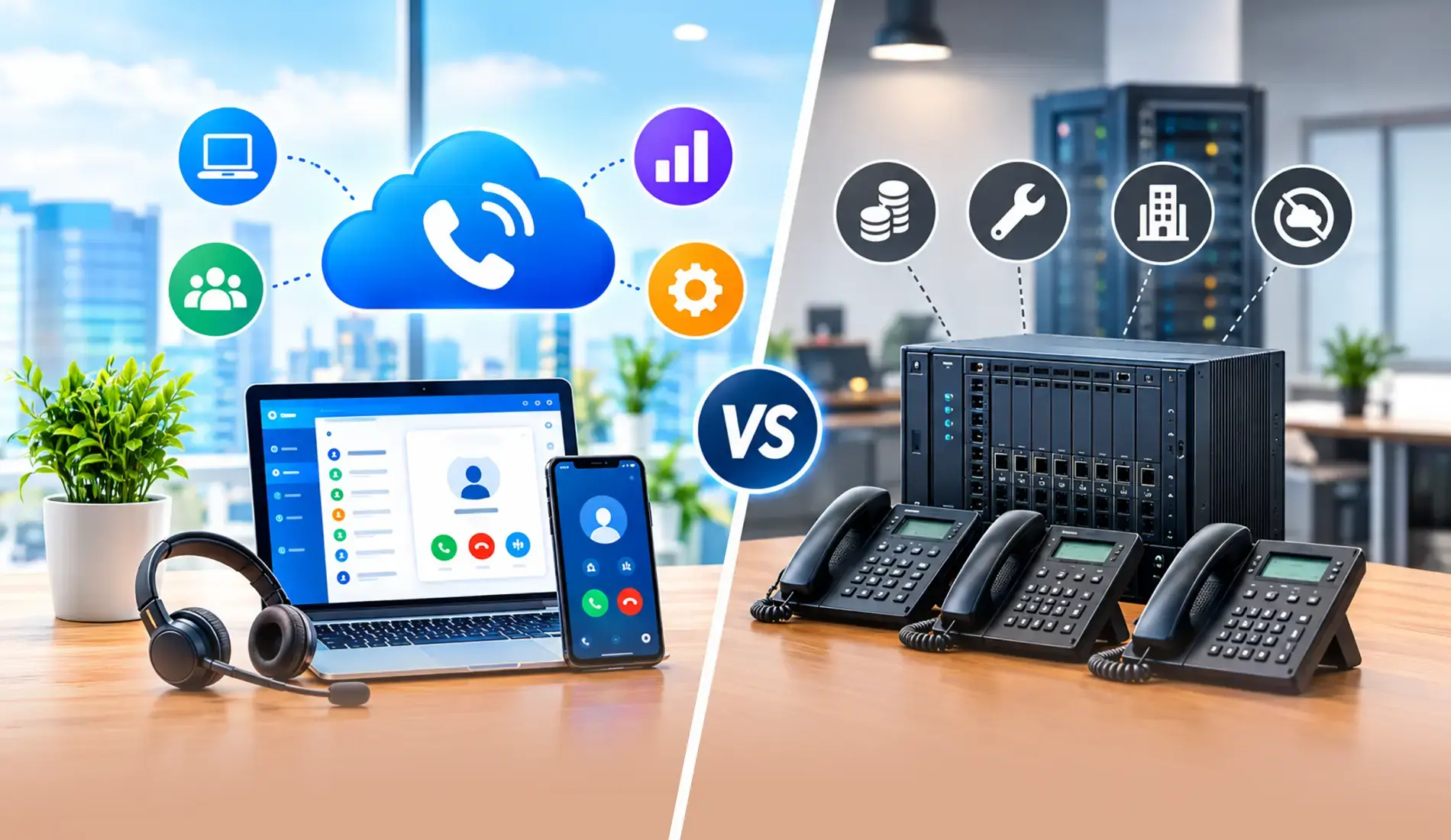
For a small business, the difference between a traditional phone system and cloud telephony often comes down to how much the setup costs, how much technical support it needs, and how easily it can grow with the team.
Setup and cost
Setting up a traditional PBX involves hardware, wiring, installation, and ongoing maintenance. For a small business, that can add to the initial cost and require coordination with a vendor. With a cloud phone system for small business, there is no need to install phone hardware at the office. The business can sign up, configure the system, and start handling calls without waiting for an on-site installation.
IT dependency
Traditional systems often need technical support for routine changes such as adding a user, changing call routing, or updating an IVR. That can be inconvenient when a small business does not have a dedicated IT employee. Cloud telephony can be managed through a browser-based dashboard, allowing authorized team members to make routine changes without depending on a technician for every update.
Scalability
As a traditional phone system grows, businesses may need additional hardware and help with configuration. Cloud telephony lets businesses add users and make changes through the platform instead. This gives a growing small team more flexibility to expand its calling setup without making every new hire a separate infrastructure task.
How Much Does Cloud Telephony Cost for a Small Business?
Cloud telephony can be a relatively predictable monthly expense for a small business, but the actual cost depends on team size, calling usage, phone numbers, and the features included in the plan. Comparing the total monthly cost for your team is more useful than looking at the lowest starting price.
Entry-level pricing
Cloud telephony plans can be priced differently depending on the provider and billing model. A small business may pay a monthly fee per user, with the overall cost changing based on users, phone numbers, calling usage, and selected features. For a 5 person team, looking at the full monthly bill gives a more useful comparison than comparing the lowest advertised prices.
What drives the cost up
The price can go up when you add users, additional numbers, international calling, advanced analytics, or CRM integrations. In addition to these, the amount of calling your team does can also affect the bill. Some providers include these features in higher-tier plans, while others charge for them separately. Before choosing a plan, check whether the features your team needs, including CRM integration, call recording, and IVR, are included.
TeleCMI pricing for small businesses
For small teams, TeleCMI's starter plan is $18/month for 4 users. It gives the team the basic tools needed to handle business calls without setting up traditional phone infrastructure. The 14-day free trial lets you test the setup with real calls before paying for the service.
What to watch for
Credit based models can charge separately for calls, SMS, or other usage, which can make monthly costs harder to predict. Subscription models can be easier to budget when a small business has relatively consistent usage, but the business should still check what is included in the plan. Compare the complete monthly cost for your actual team size and calling needs rather than choosing based on the starting price alone.
How to Choose a Cloud Telephony for Your Business
Choosing a phone system for a small business means looking beyond the monthly price. The right option should fit your team size, calling needs, existing tools, and ability to manage the system internally.
Pricing transparency
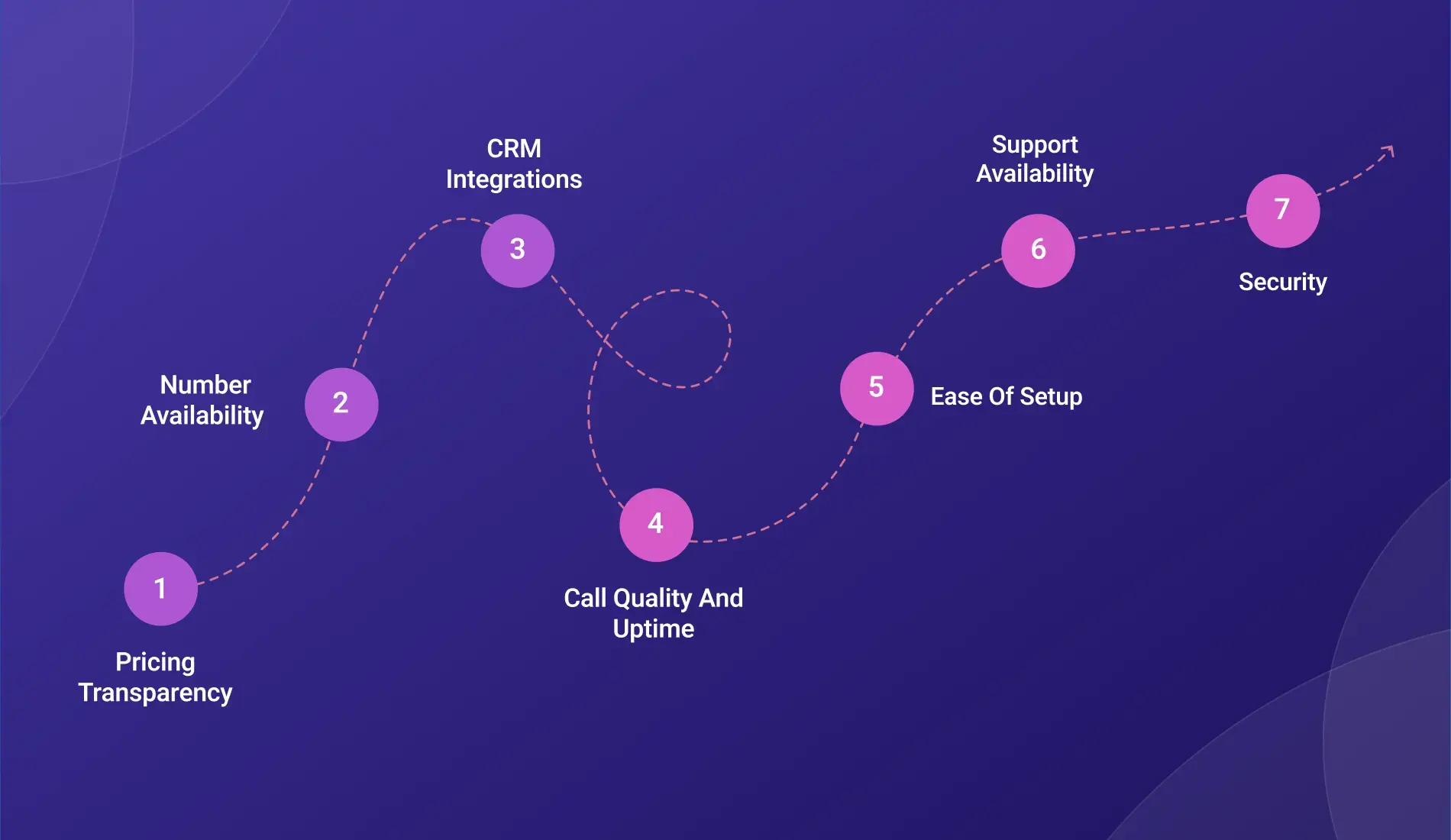
When comparing a cloud phone system for small business, look at the total monthly cost for your actual number of users and calling requirements. Make sure to check the complete pricing structure rather than just the cheapest advertised plan. Ask whether users, numbers, calling minutes, recordings, CRM integrations, and other services are included with it. A small business should be able to estimate its likely monthly bill without discovering major add-on costs after signing up.
Number availability
Check whether the provider offers virtual numbers in the cities or countries where your business operates or wants to appear local. If you are expanding beyond India, you also need to check whether numbers are available in the targeted markets you plan to serve, such as the US, UK, or UAE.
CRM integrations
If your team already uses Zoho, HubSpot, Freshsales, or another CRM, check exactly what the integration does rather than simply looking for the CRM's name on an integrations page. Find out whether calls can be logged automatically and whether the integration is native or requires another service.
Call quality and uptime
A phone system needs to work reliably when employees depend on it for business calls. Before choosing a provider, make sure to check its uptime commitment, call quality, backup infrastructure, and how it handles outages. Look for providers that commit to 99.9% or higher annual uptime.
Ease of setup
For a small business, everyday changes should be simple to handle. An operations manager should ideally be able to add users, set business hours, update greetings, and change routing without having to rely on technical support for each change.
Support availability
Support should match the hours in which your team actually works. Indian businesses should specifically check whether support is available during IST business hours and whether phone, email, or chat support is offered when an urgent calling issue occurs.
Security
Security is important when business calls involve customer or company information. Check how the provider protects call data, including its access controls, encryption, certifications, and audit mechanisms. These should also fit the privacy and regulatory requirements your business needs to follow.
Independent customer feedback can be useful when comparing cloud telephony providers, along with factors such as pricing, features, and support. G2 publishes user reviews and ratings that can help small businesses compare different providers.
Is Cloud Telephony Worth It for a Small Business?
For a small business, the value of cloud telephony largely depends on how often the team handles calls and whether its current setup is creating operational problems.
For most small businesses: yes
The cloud telephony benefits for small businesses become more apparent once phone calls are an important part of daily operations. If a business handles more than 10–15 inbound calls per day, regularly misses calls when the team is busy, has remote or hybrid staff, or relies on personal mobile numbers, a cloud phone system can provide a more structured way to manage calls without the cost and infrastructure of a traditional phone system.
Where it makes less sense
A sole trader handling just 2–3 calls a day may not get enough value from a cloud phone system to justify the subscription. If one person handles all calls and there is no need for call routing, multiple users, a separate business number, or call records, a basic VoIP app may be enough. At this level, a full phone system could add cost without addressing a real business need.
The free trial removes the risk
Before committing to a cloud telephony subscription, it is worth using the provider's free trial (if one is available). The team can make its usual calls, test different routing scenarios, and use the platform during normal work. This gives the business a clearer idea of how well the service fits its needs and whether the recurring cost makes sense.
HubSpot's State of Customer Service research found that 71% of CRM leaders believe the current customer service experience takes too much time, highlighting the importance of efficient customer communication.
TeleCMI for Small Businesses
TeleCMI gives small teams a cloud-based business phone system without the need for traditional phone hardware. You can set up business calling, add users, manage business hours, and configure call routing from the platform, making it easier to manage calls as your team grows.
The Starter plan costs $18 per month for four users and includes call recording, IVR, voicemail, and essential call routing. You can also try TeleCMI free for 14 days with no credit card required, so your team can test the calling setup before committing to a paid plan.
TeleCMI connects with 170+ CRM and business tools, helping small sales and support teams keep calling activity connected to the tools they already use. You can also get virtual business numbers for supported locations, including international numbers for businesses serving customers outside India. For Indian businesses, IST-aligned support makes it easier to get help during local business hours when calling issues need to be resolved quickly.
Each team member can also have a dedicated business number instead of using a personal mobile number for customer calls. This gives small businesses a consistent calling setup while keeping employee and business communication separate.
Conclusion
Cloud telephony for small businesses makes the most sense when a basic landline or personal mobile numbers are starting to create operational problems. With small business cloud calling, a small team can gain a dedicated business number, structured call handling, remote calling, and easier user management. The right choice ultimately depends on the team's size, call volume, budget, existing tools, and how much control it needs over everyday calling.
Grow Your Business with Better Conversations

Professional Business Image
Advanced Call Analytics
Quick Setup and Deployment
Frequently asked questions (FAQ)
Saravana Kumar

I’m passionate about exploring and sharing insights on modern cloud communication technologies. At TeleCMI, I focus on helping readers understand the evolving world of cloud telephony and IVR solutions in a simple yet in-depth way. My goal is to deliver genuine value by turning complex telecom concepts into clear, actionable knowledge that builds trust and drives innovation.